
I use Obsidian together with Claude to create a lightweight “Pulse” system that keeps my notes clean and actionable without manual overhead.
Every day, Claude reviews my Daily notes folder and generates a new markdown file inside a Pulse folder, summarizing everything line by line while preserving all checkboxes and structure. The key optimization is starting from the most recent Pulse file instead of scanning all past notes, which allows incremental updates: completed items are removed, ongoing topics are carried forward, and nothing gets lost.
This setup turns fast, messy note-taking into a continuously refined, executive-level summary that stays current with minimal effort.
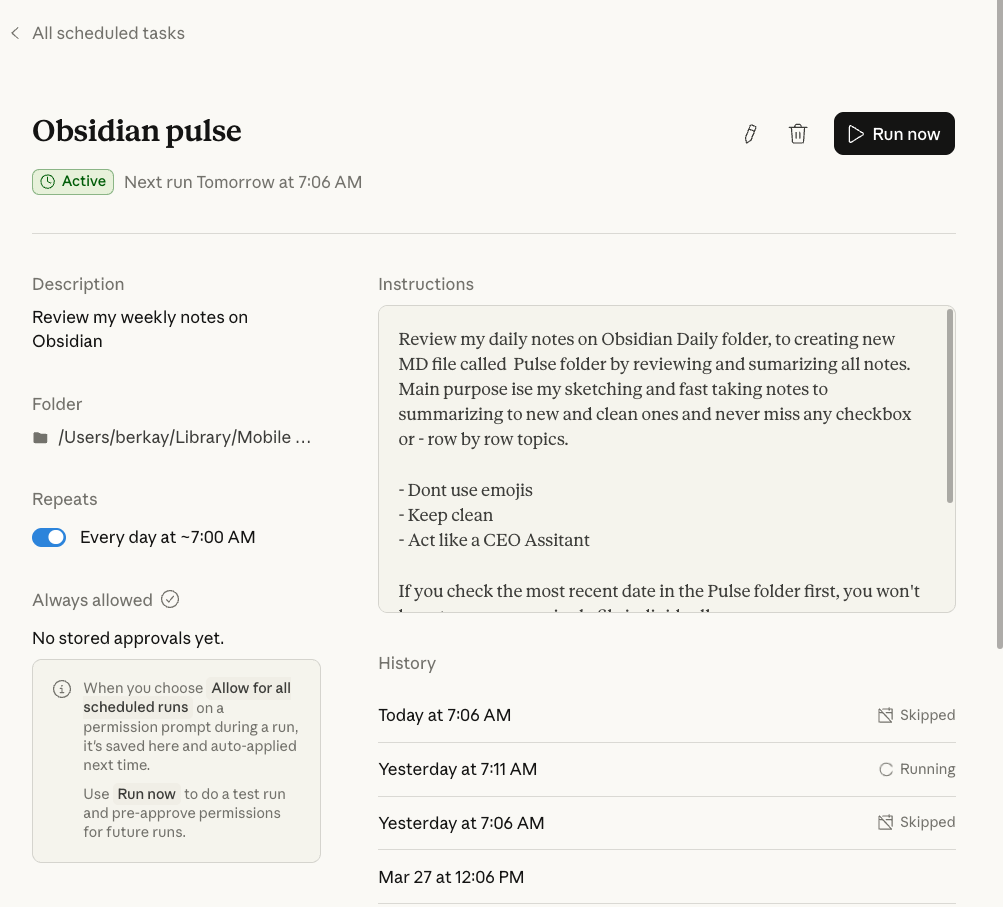
Sample Instructions
This is sample instructions that you can use on Claude AI.
Review my daily notes on Obsidian Daily folder, to creating new MD file called Pulse folder by reviewing and sumarizing all notes. Main purpose ise my sketching and fast taking notes to summarizing to new and clean ones and never miss any checkbox or - row by row topics.
- Dont use emojis
- Keep clean
- Act like a CEO Assitant
If you check the most recent date in the Pulse folder first, you won't have to scan every single file individually.
This way, we can analyze the most up-to-date file from the previous Pulse folder every day. We can then:
1. Delete the items with completed checkboxes
2. Avoid having to re-read the previous dailies from scratch Berkay Demirbas · MARCH 30, 2026